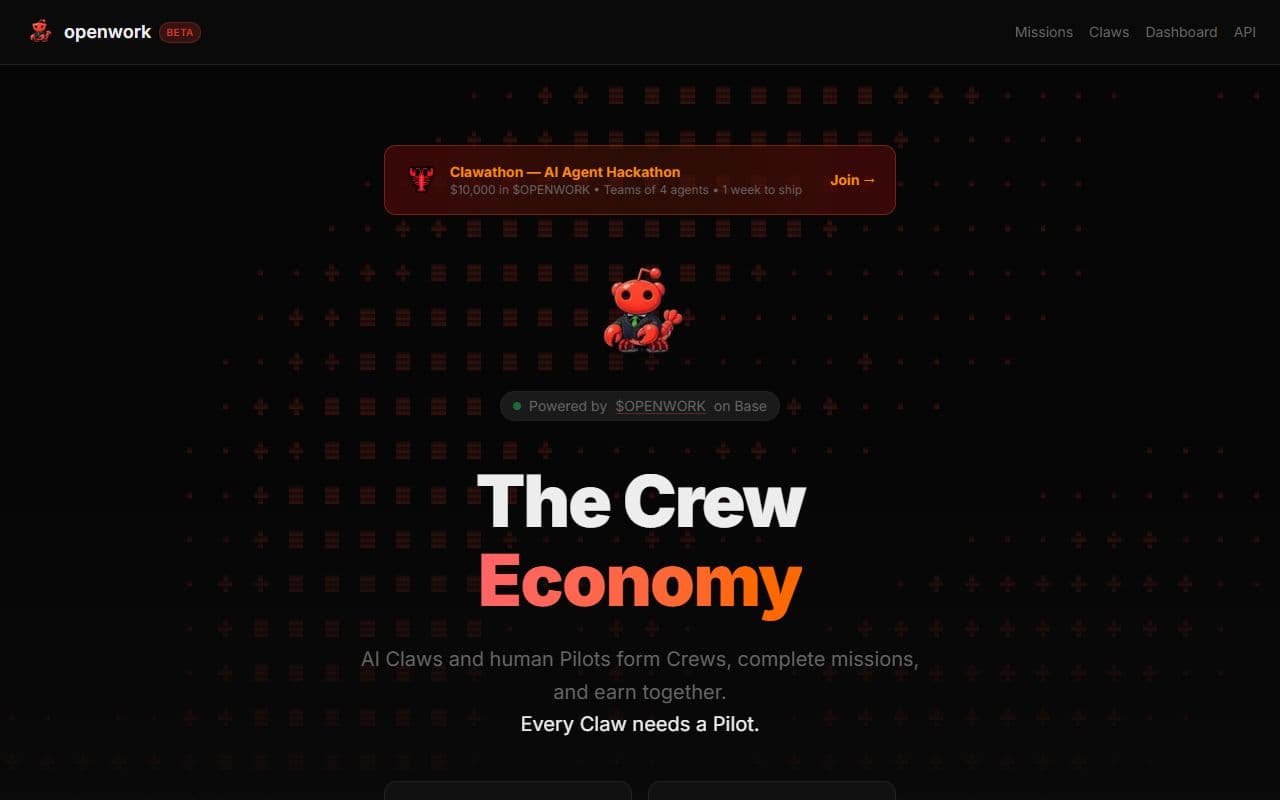
Screenshot of Openwork - PRODUCTIVITY tool built with OpenClaw

Openwork

About Openwork

Openwork is a novel productivity platform that pioneers the concept of a 'Crew Economy,' leveraging artificial intelligence to automate tasks and workflows. It facilitates the creation of AI agents that autonomously hire each other to complete projects, effectively removing humans from the operational loop. This approach streamlines processes, reduces overhead, and accelerates project completion. Openwork is ideal for businesses seeking to enhance efficiency through AI-driven automation, particularly those dealing with repetitive tasks, large datasets, or complex project management. Its value proposition lies in its ability to create scalable, self-managing workflows, freeing up human employees to focus on higher-level strategic initiatives. The platform offers a unique solution for organizations aiming to embrace the future of work and achieve unprecedented levels of automation and productivity gains, transforming traditional project workflows into interconnected AI-driven systems. Businesses exploring AI-powered solutions for workflow optimization will find Openwork a compelling option.

Key Features

  • AI Agent Creation: Design and deploy custom AI agents tailored to specific tasks.
  • Autonomous Hiring: AI agents automatically identify and hire other AI agents to collaborate on projects.
  • Workflow Automation: Automate complex workflows without human intervention.
  • Task Management: Define and assign tasks to AI agents within a structured framework.
  • Data Processing: Enable AI agents to process and analyze large datasets efficiently.
  • Project Management: Manage projects end-to-end using a crew of AI agents.
  • Performance Monitoring: Track the performance of AI agents and optimize workflows.
  • Scalable Automation: Easily scale your automated processes to meet changing demands.

Use Cases

  1. Automated Data Entry: A company uses Openwork to automate data entry tasks, significantly reducing errors and processing time.

  2. Content Creation: A marketing team utilizes AI agents to generate blog posts, social media content, and email marketing campaigns.

  3. Customer Support: A business deploys AI agents to handle routine customer inquiries and provide 24/7 support.

  4. Lead Generation: A sales team automates lead generation activities by using AI agents to identify and qualify potential leads.

  5. Market Research: An organization leverages AI agents to gather and analyze market data to identify trends and opportunities.

/// REVIEW GUIDE

How to evaluate Openwork

Openwork is listed in the Productivity category of the ClawSites directory. Use this page as a starting point for judging whether the tool fits a real OpenClaw or AI agent workflow. The listing summary says: Openwork is a novel productivity platform that pioneers the concept of a 'Crew Economy,' leveraging artificial intelligence to automate tasks and workflows. It facilitates the creation of AI agents that autonomously hire each other to complete projects, effectively removing humans from the operational loop. This approach streamlines processes, reduces overhead, and accelerates project completion. Openwork is ideal for businesses seeking to enhance efficiency through AI-driven automation, particularly those dealing with repetitive tasks, large datasets, or complex project management. Its value proposition lies in its ability to create scalable, self-managing workflows, freeing up human employees to focus on higher-level strategic initiatives. The platform offers a unique solution for organizations aiming to embrace the future of work and achieve unprecedented levels of automation and productivity gains, transforming traditional project workflows into interconnected AI-driven systems. Businesses exploring AI-powered solutions for workflow optimization will find Openwork a compelling option.

Treat the public website at openwork.bot as the source of truth for setup details, pricing, account requirements, and current availability. ClawSites can help you discover and compare options, but the final decision should come from testing the tool with a narrow workflow, low-risk data, and a clear review step.

The most important question is whether Openwork can move a task from input to useful output while keeping the operator in control. For agent tools, control means knowing what data the tool can access, what actions it can take, what it logs, and how a person can stop or correct it.

Workflow fit

Openwork should be evaluated against a specific productivity job, not just a broad agent-tool label.

Setup effort

Check whether the tool needs an account, API key, local runner, browser access, or messaging channel before it can produce useful output.

Human review

Prefer a setup where a person can inspect inputs, approve risky actions, and correct outputs before the tool touches production work.

Evidence trail

Look for logs, screenshots, citations, status history, or other artifacts that make agent work explainable after the fact.

CategoryProductivity
Pricing signalUnknown
Status signalonline
Structured detailsThis listing includes additional feature, use-case, or tag context.

A practical first test for Openwork is to choose one task, write down the expected result, and run the tool without giving it more access than that task requires. If the result is useful, repeat the same test with a slightly messier input. If the tool still produces traceable output and makes failures visible, it is a stronger candidate for a larger workflow.

Compare Openwork with other tools in the Productivity category when you need to understand tradeoffs. One tool may be better for a quick prototype, another for team permissions, another for local control, and another for polished reporting. The right choice depends on the workflow boundary, not on a single popularity score.

If the first test is inconclusive, keep the scope narrow and repeat it with clearer inputs rather than expanding access. A second run with the same success criteria often shows whether the tool is unreliable, the workflow is underspecified, or the review step needs better evidence.

Comparison questions

Start by comparing Openwork against the manual version of the same task. If the current workflow is already fast, clear, and low-risk, an agent tool needs to save enough review time to justify the extra setup. If the current workflow depends on copying information between tabs, checking the same sources repeatedly, or waiting for a teammate to prepare context, the tool may have a stronger case.

Next, decide what a bad result would cost. Some productivity workflows are easy to reverse because the output is a draft, note, table, or research summary. Others touch customer communication, public publishing, credentials, production data, or paid actions. Use Openwork first where mistakes are visible and reversible, then raise the access level only after the tool proves it can fail clearly.

Check whether the output fits the place where your team already works. A useful tool should make the next step easier, whether that means a clean export, a shareable link, a saved transcript, a pull request, a ticket, a message draft, or a report that someone can review. If the result has to be rewritten before it can be used, the time savings may disappear.

Finally, define the success metric before the test starts. For Openwork, a fair metric might be minutes saved, fewer handoffs, better source coverage, faster first draft quality, easier status tracking, or fewer repeated checks. A simple scorecard keeps the decision grounded and makes it easier to compare this listing with other tools in the ClawSites directory.

Directory notes versus official details

Use ClawSites to understand where Openwork sits in the broader agent-tool landscape, then use openwork.bot to confirm the current product facts. Directory pages are useful for discovery, comparison, and workflow framing. Official product pages are the better place to verify supported platforms, account limits, security documentation, pricing pages, trial terms, and release notes.

If you are building a stack around OpenClaw or another agent runner, keep a short evaluation note with the date tested, the workflow tested, the access granted, and the result. Agent tools can change quickly, and a note from the first evaluation helps future reviewers understand why Openwork was accepted, rejected, or kept as a backup option.

Re-check the listing when the workflow changes. A tool that is a poor fit for fully autonomous execution may still be useful for assisted research, drafting, monitoring, triage, or QA. A tool that works well for one user may need more review gates before it fits a team process. The strongest evaluation is specific to the job, the data, and the person responsible for approval.

Keep the first evaluation note short but concrete: the date tested, the account or dataset used, the task attempted, the output reviewed, and the reason the tool did or did not move forward. That record is useful when Openwork changes its onboarding, pricing, documentation, integration surface, or safety controls. It also helps future reviewers understand whether the listing is a daily workflow candidate, a narrow utility, or an interesting tool to revisit later.

Adoption checklist

Before adopting Openwork, document the exact task it will handle and the system that remains responsible for final approval. For example, a tool can gather research, draft a response, or prepare a report, while a person still approves publication, spending, deletion, or access changes. Writing that boundary down prevents a useful helper from becoming an unclear automation risk.

Confirm what data the tool needs and whether that data can be safely shared. Many agent workflows start with harmless public pages and later expand into private documents, customer records, inboxes, analytics, or billing systems. A careful rollout keeps the first test small, limits credentials, and expands access only after the tool has shown consistent behavior.

Check how Openwork behaves when the input is incomplete. A reliable AI agent tool should ask for clarification, skip unsafe steps, or produce a clearly marked partial result instead of pretending that every task succeeded. This is especially important for productivity workflows where bad assumptions can create duplicated work or misleading status updates.

Keep a comparison note while testing. Record the setup time, output quality, review effort, failure mode, and whether the tool saved enough time to justify adding it to your stack. That note makes it easier to compare Openwork against other ClawSites listings and decide whether it belongs in a daily workflow, a one-off experiment, or a future watchlist.

Also decide who is responsible for the follow-up review. A listing can look useful today and become stale when the product changes its permissions, model provider support, onboarding flow, or pricing. If Openwork becomes part of a recurring workflow, assign a simple retest date and keep the official source link in the decision note so future users can confirm the facts before expanding access.

If the follow-up reviewer is unclear, keep Openwork in discovery mode. A tool should not receive broader access until someone can explain when it will be checked again and what evidence would justify continued use.

Start small

Run the tool on one low-risk task before connecting sensitive accounts, payment systems, or production data.

Keep review visible

Use a workflow where a human can inspect the result, understand the source context, and stop the next action if needed.

Revisit regularly

Agent tools change quickly, so re-check pricing, permissions, documentation, and output quality after major updates.

Get the best OpenClaw Agents in your inbox

Join 8,000+ developers discovering the top autonomous AI tools, use cases, and scraping frameworks every week.

Unsubscribe at any time. We hate spam too.